Summary Box: A Battery Charging Notification App can alert you when charging starts or stops, the battery reaches a selected level, or unusual battery conditions occur. This guide explains the useful features of Battery Charge Notifier Sounds and how its alert system works.
Introduction
A Battery Charging Notification App is useful when you do not want to keep checking the battery percentage manually. Battery Charge Notifier Sounds provides audio alerts for charging events and also shows information such as charging speed, battery temperature, voltage and charging history. The app is available on Google Play and was updated on June 27, 2026.
What Can This Battery App Notify You About?
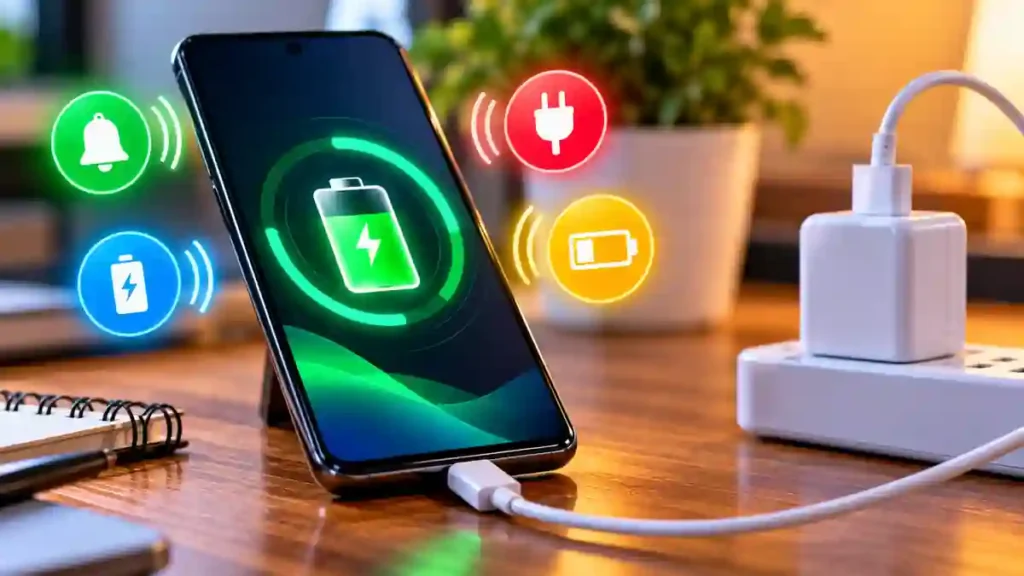
Instead of offering only a full-charge alarm, the app supports several battery-related events. You can configure alerts for the charger being connected or disconnected, low battery, full battery, battery percentage changes, high battery drain and dangerous battery temperature. It also allows users to create a custom alert for a battery percentage they choose.
This makes the Battery Charging Notification App useful for different situations. For example, you could create an alert at a preferred percentage rather than waiting until the phone reaches 100%. You can also enable only the notifications that are relevant to your daily charging routine.
7 Useful Features to Explore
1. Charger Connection Alerts
The app can notify you when the charging cable is connected. A separate alert is available when the charger is disconnected, which can be useful if the cable accidentally comes loose.
2. Custom Battery Percentage Alerts
You can set an alert for a battery percentage of your choice. This gives you more control than relying only on standard low- or full-battery notifications.
3. Different Alert Sounds
Alerts are not limited to one sound. The app supports built-in sounds, music tracks, text-to-speech voices and custom audio files stored on the phone. Text-to-speech also supports different voices and languages.
4. Vibration and Repeat Options
For important notifications, you can adjust vibration duration and configure alert repetition. There is also an option to add a delay before an alert plays, allowing the notification behavior to match your routine.
5. Battery Information Dashboard
The Battery Charging Notification App also works as a battery information dashboard. It can show charging or discharging speed in watts, battery capacity, approximate charged capacity, voltage, temperature and battery type.
6. Charging History
A charging history log helps you review previous charging activity. It can show details such as the last charger connection and disconnection, making it easier to understand your charging pattern.
7. Temperature and Drain Warnings
The app can provide alerts when battery temperature reaches a dangerous level or when battery drain is high. These notifications can help you notice unusual battery behavior earlier, although an app alert should not be treated as a professional battery-health diagnosis.
How to Set Up Battery Alerts
Table of Contents
Getting started is straightforward:
- Install Battery Charge Notifier Sounds from Google Play.
- Open the app and review the available battery alerts.
- Select the events you want to monitor.
- Choose a sound, voice or custom audio.
- Adjust vibration, repetition or delay settings if required.
- Create a custom percentage alert when needed.
- Check the battery dashboard and charging history.
The Google Play listing currently shows the app as containing ads, with 1M+ downloads and a 4.6-star rating at the time of checking.
Is the App Safe to Use?
The Google Play Data Safety section states that the app may collect and share certain data types, including location and app activity, and that data is encrypted in transit. Users should review the current Play Store privacy information and permissions before installation.
Frequently Asked Questions
What is a Battery Charging Notification App?
It is an app that provides alerts about charging and battery events instead of requiring you to repeatedly check the battery manually.
Can I set a custom battery percentage alert?
Yes. The app allows users to create alerts for a battery percentage they select.
Can I use my own sound?
Yes. The app supports custom audio files along with built-in sounds, music and text-to-speech options.
Does the app show charging speed?
Yes. Its battery information section can display charging or discharging speed in watts, along with other battery details.
Conclusion
A Battery Charging Notification App can make phone charging easier to monitor by combining custom sounds, percentage alerts, battery information and charging history in one place. If you want more control over charging notifications, Battery Charge Notifier Sounds provides several settings worth exploring.
Internal Link Suggestion:
Call Announcer App: 7 Amazing Features for Hands-Free Alerts
Official External Link:
Battery Charge Notifier Sounds – Official Google Play Listing