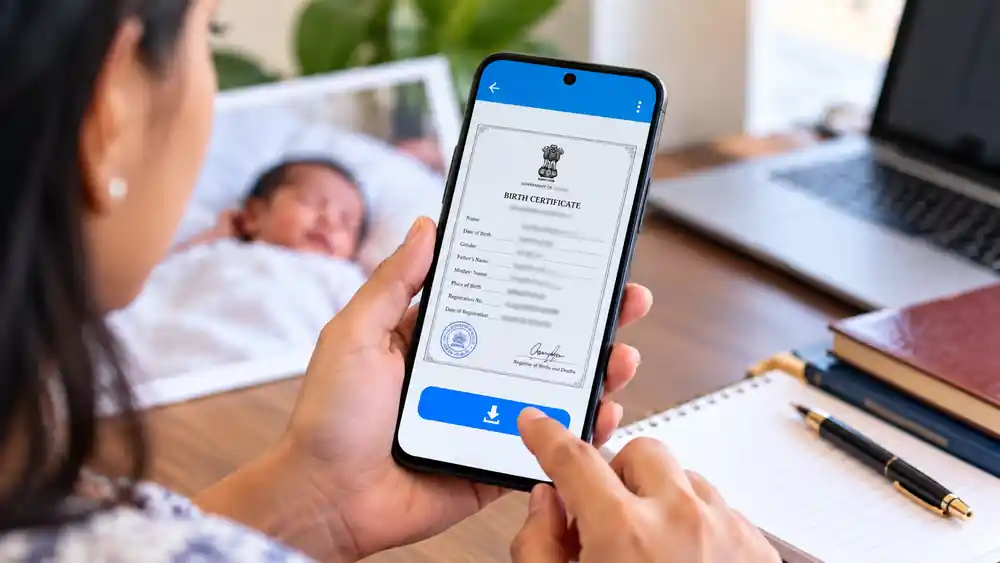
Summary Box: Download Birth Certificate Kerala services make it easier to access an already registered birth record from your phone. This guide explains the online process, information you may need, what to do when a record is unavailable, and how to verify the downloaded certificate.
Why Do People Need a Birth Certificate Online?
A birth certificate is commonly required for school admission, passport-related applications, government services, identity documentation and other official purposes. In Kerala, local self-government institutions provide birth and death registration services through the state’s digital platforms. Local-government websites currently direct citizens to K-SMART for services including birth certificates and civil registration.
If your birth has already been registered, you may not need to visit the local body office just to obtain a copy. Depending on the availability of the record, you can use the online service from a smartphone and save the certificate digitally.
Download Birth Certificate Kerala: What Should You Keep Ready?
Before starting, keep the basic birth information available. This can make the search easier and reduce the possibility of entering incorrect details.
You may need information such as:
- Date of birth
- Name of the person
- Mother’s name
- Father’s name
- Place or local body where the birth was registered
- Registration number, if available
Older records may not always appear in exactly the same way as recently digitised records. If the online search does not produce the expected result, the concerned Panchayat, Municipality or Corporation may need to be contacted.
How to Download a Birth Certificate From Your Phone
1. Open the Official Local Government Service
Use the official K-SMART platform or the relevant Kerala local-government website. Kerala municipalities and panchayats currently list K-SMART as the platform for citizen services, including birth certificates.
2. Choose Birth Certificate Services
Look for the birth certificate or civil registration service. Select the option that allows you to search for or obtain an existing birth record.
3. Enter the Required Information
Provide the requested details carefully. Even a small spelling or date difference can make it difficult to locate the correct record, so compare the information with any older certificate or registration document you already have.
4. Search for Your Record
Submit the details and check whether the system finds a matching registration. If the record is available, review the displayed information before proceeding.For most users, the Download Birth Certificate Kerala process is straightforward when the registration details are entered correctly.
5. Open the Certificate
Table of Contents
After identifying the correct record, follow the available certificate or download option. Check the person’s name, date of birth, parents’ names and registration information before saving the document.
6. Save the Digital Copy
Download the certificate to your phone and keep a backup in a secure location. A PDF copy can be useful when you need to upload the document to another online application.
7. Verify the Certificate Details
Kerala’s computer-generated birth certificates contain registration information and are designed for official use. An example of the official certificate states that its authenticity can be verified using the designated online verification system and a unique key number.
What If You Cannot Find the Birth Record?
Do not assume that the birth was never registered simply because an online search does not show it. Older records, incorrect search information or differences in the registration details can affect the result. Kerala’s civil-registration system includes local registration authorities, and the official service framework also provides procedures for birth registration and related certificates.
In such cases, contact the local Registrar of Births and Deaths responsible for the place where the birth was originally registered. Keep any old certificate, hospital record or registration information available when requesting assistance.
Frequently Asked Questions
Can I download my birth certificate using a mobile phone?
Yes. Kerala local-government services are available through K-SMART, which can be accessed online.
What if I do not know the registration number?
You can still try searching with the other information requested by the online service. If the record cannot be located, contact the relevant local registration authority.
Can an old birth certificate be obtained online?
It depends on whether the relevant birth record is available in the digital system. Older records may require assistance from the concerned local body.
Is the computer-generated certificate valid?
Kerala’s official computer-generated birth certificate format states that it is approved as a valid document for official purposes.
Conclusion
The easiest way to Download Birth Certificate Kerala is to first check whether the existing birth record is available through the official local-government digital service. Keep the correct personal and registration details ready, carefully review the certificate before downloading it, and contact the concerned Registrar if an older record cannot be found online.The Download Birth Certificate Kerala option can save time when you need a digital copy of an already registered birth record.
Internal Link Suggestion:
Land Mutation Kerala: 7 Important Steps to Transfer Property Records After Death
Official External Links:
Kerala Local Self Government Department
K-SMART Official Portal