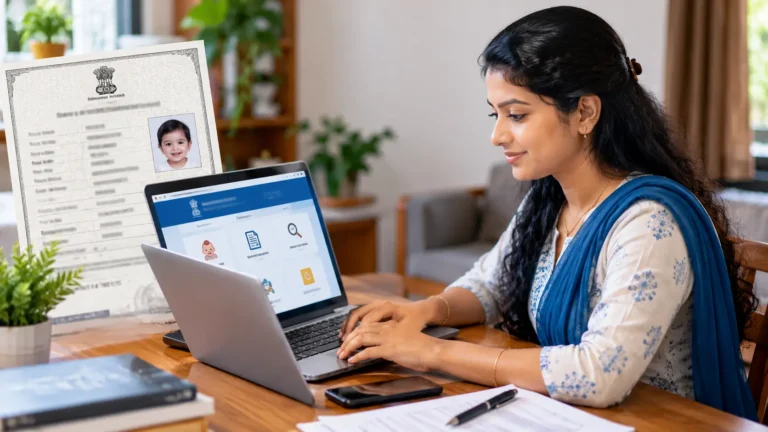
Summary: E ration card download Kerala lets families save an official digital copy of their ration card from the Civil Supplies Department citizen portal. After logging in with the registered mobile number and OTP, you can download the card as a PDF, print it at home and use it as a valid copy for ration shops and many government services across the state.
The ration card is one of the most important household documents in Kerala. It is used to buy subsidised food grains, to prove family membership and to apply for many welfare schemes. Earlier, families had to depend on a printed booklet that could get damaged, faded or lost. With e ration card download Kerala, the Civil Supplies Department now offers a digital card that can be downloaded anytime and printed whenever you need a fresh copy.
The digital card contains the card number, card category, the name of the head of the family, members and the assigned ration shop. Because it is generated from the official database, it reflects the latest approved details. This guide explains who can download it in simple words, the steps on the citizen portal, how to fix login problems and what to do if the details shown are wrong or incomplete.

Requirements for E Ration Card Download Kerala
- Ration card number of the family
- Mobile number registered with the ration card
- Access to the OTP sent to that mobile number
- A phone or computer with a PDF viewer and internet
E Ration Card Download Kerala: 7 Simple Steps
The download is done through the official citizen login of the Kerala Civil Supplies Department. The process is free and takes only a few minutes when your mobile number is already linked. Read each screen carefully, because the portal may ask you to create a citizen account the first time. Once the account is ready, future downloads become even faster, and you can also track applications for changes to your card from the same dashboard.
- Open the portal: Visit the official Civil Supplies citizen portal.
- Citizen login: Choose citizen login and register if you are a new user.
- Enter card number: Type your ration card number and registered mobile number.
- Verify OTP: Enter the OTP sent by SMS to confirm your identity.
- Open the e-card option: Select the e ration card or card details section from the menu.
- Download PDF: Click download to save the digital ration card on your device.
- Print if needed: Print the PDF on good quality paper or keep it on your phone.

Fixing Common Login Problems
The most common problem in e ration card download Kerala is not receiving the OTP. This usually happens when the mobile number linked to the card has changed or is no longer active. In such cases, you need to update the mobile number through the citizen portal, an Akshaya centre or the Taluk Supply Office. Once the new number is approved, you can log in normally and complete the download without any further difficulty.
Other issues during e ration card download Kerala include slow loading during peak hours and errors caused by old browsers. Try using an updated version of Chrome or Firefox, clear the browser cache or try again early in the morning. If the PDF does not open, install a PDF reader app on your phone. Do not use unofficial websites or apps that ask for your card number and OTP, because they may misuse your personal and family information for fraud.
What If the Details Are Wrong?
If the name of a member, address or category shown on the digital card is wrong, you need to apply for correction through the official channels. The citizen portal and Akshaya centres can help you submit requests for adding or removing members, changing the head of family or correcting spellings. Once approved, repeat the e ration card download Kerala process to get the updated copy. Keep supporting documents such as Aadhaar, birth certificate and address proof ready, because officers verify these before approving any change to the card.
Related documents often need corrections too. If a child’s name or date of birth must be fixed first, our guide on birth certificate correction online Kerala explains the process. You may also find our article on death certificate online Kerala useful when removing the name of a deceased family member from the ration card records after the certificate is issued.

Frequently Asked Questions
Is the e ration card valid in ration shops?
Yes. The digital card generated from the official portal is accepted as a valid ration card copy. Ration shops also verify beneficiaries through biometric or OTP authentication.
Is there any fee for e ration card download Kerala?
Downloading from the official citizen portal is free. Akshaya centres may charge a small service fee if you take their help.
Can I complete e ration card download Kerala without a registered mobile number?
No. OTP verification is required, so you must first link an active mobile number to the ration card.
Can I print the card in colour?
Yes. You can print the PDF in colour or black and white. Keep the printout clean and readable.
Table of Contents
Conclusion
E ration card download Kerala is a simple service that gives every family a safe digital copy of one of its most important documents. With a registered mobile number and a few minutes online, you can download, print and store the card without waiting at an office. Keep the PDF in a secure folder on your phone, share a copy with trusted family members and update it whenever changes are approved by the Civil Supplies Department.
Always rely on the official portal and authorised centres for downloads and corrections. Keeping your ration card details accurate helps you receive subsidised rations, welfare benefits and smooth service at government offices. Check your digital card once in a while, especially after adding or removing members, so that every record stays correct and your family continues to enjoy all the benefits it is entitled to receive.