Summary: KSEB bill payment online lets Kerala households pay electricity charges from home using the official KSEB portal, the KSEB mobile app or any UPI app that supports Bharat BillPay. All you need is the 13-digit consumer number printed on your bill. Payment is reflected quickly, and you can download a receipt for your records without visiting the section office.
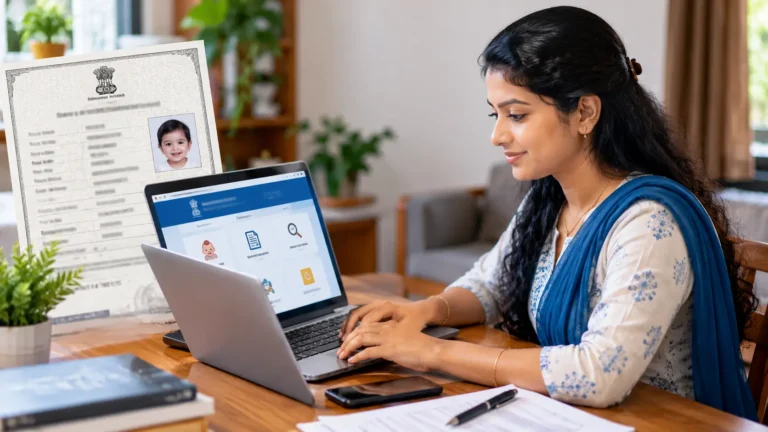
Electricity bills arrive regularly in every Kerala home, and standing in a queue at the section office is no longer necessary. KSEB bill payment online is fast, secure and available at any time of the day. Kerala State Electricity Board has built its own payment portal and mobile app, while popular UPI and banking apps also allow you to pay through the Bharat Bill Payment System. This makes it easy for students, working people and senior citizens alike.
In this guide, we explain the main methods, the details you need before paying and common mistakes that lead to failed transactions. We also share tips on checking the bill amount, downloading receipts and contacting the board if something goes wrong. Whether you are paying for your own house, a rented shop or for parents living in another town, these steps will help you finish the job within a few minutes.
Details Needed for KSEB Bill Payment Online
- 13-digit consumer number shown on the electricity bill
- Registered mobile number for alerts and OTP
- Net banking, debit card, credit card or a UPI app
- A stable internet connection on phone or computer
KSEB Bill Payment Online: 7 Simple Ways
There are several trusted ways to complete KSEB bill payment online, and you can choose the one that feels most comfortable. The official channels show the exact bill amount linked to your consumer number, so you do not need to type the amount manually in most cases. Always make sure the consumer name and section office shown on the screen match your bill before you confirm the payment.
- Quick Pay on the official portal: Visit wss.kseb.in, choose Quick Pay, enter your consumer number and pay.
- Registered user login: Create an account on the portal to view bill history and link multiple connections.
- KSEB mobile app: Install the official app from the Play Store or App Store and pay inside the app.
- UPI apps: Use Google Pay, PhonePe, Paytm or BHIM, choose electricity, select KSEB and enter the number.
- Bank net banking: Most banks list KSEB under bill payments in their net banking section.
- Auto pay mandate: Some UPI apps allow you to set reminders or automatic payment before the due date.
- Friends and Akshaya centres: If you cannot pay yourself, these centres can complete the payment for a small fee.
How to Check Your Bill Amount First
Before you start KSEB bill payment online, it is good practice to confirm the current bill amount and due date. On the official portal, the Quick Pay screen displays pending dues as soon as you enter the consumer number. Many UPI apps also fetch the bill automatically through Bharat BillPay. If the amount looks unusually high, compare it with your meter reading and previous bills, and contact the section office before paying if you suspect a reading error.
Most domestic consumers in Kerala receive bills every two months, and the bill shows the reading date, units consumed, fixed charges and the last date for payment. Paying before the due date helps you avoid surcharge and the risk of disconnection. You can also register your mobile number with the board so that you receive SMS alerts whenever a new bill is generated, which makes it easier to remember payment dates.
What to Do If Payment Fails
Sometimes money is debited from your bank account but the bill still shows as unpaid. Do not pay again immediately, because a second payment may also go through. Wait for a few hours, as status updates from banks can be delayed. If the problem continues, note the transaction ID and contact your bank or the KSEB customer care number 1912. In most failed cases, the bank automatically reverses the amount within a few working days.
Keep a screenshot of the success page and download the receipt after every KSEB bill payment online, especially when paying for a rented house or for family members. These records help you solve disputes quickly. For other utility issues at home, you can read our guides on street light complaint Kerala and KWA complaint online, which explain how to report problems to local authorities from your phone.
Frequently Asked Questions
Is there any extra charge for KSEB bill payment online?
Payments through the official KSEB portal and most UPI apps are usually free for consumers. Some card payments or private centres may add a small convenience fee, so check the final amount before you confirm.
Where can I find my consumer number?
The 13-digit consumer number is printed at the top of your electricity bill. You can also find it on old receipts or in the KSEB app after logging in.
How long does it take for payment to update?
Most online payments update almost instantly. In rare cases it can take a few hours, depending on the bank and network traffic.
Can I pay the bill for another person?
Yes. Anyone can pay a bill by entering the correct consumer number, which is helpful for paying bills of parents or tenants.
Table of Contents
Conclusion
KSEB bill payment online has removed the need to visit an office or stand in long queues every two months. With the official Quick Pay portal, the KSEB app and widely used UPI apps, you can pay your electricity bill within minutes from anywhere. Always use trusted apps, check the consumer details before paying and keep your receipts safe. These small habits will help you avoid surcharges, disconnection notices and confusion about pending dues.
Make a habit of checking your SMS alerts and paying a few days before the last date so that bank delays do not cause trouble. If you manage bills for several homes or shops, create a registered account on the portal to see all connections together. Simple and regular KSEB bill payment online keeps your power supply running smoothly and saves valuable time for you and your family every month.