by
by Summary Box: A High Volume Booster App can help Android users get more control over phone audio when the built-in speaker feels too quiet. This guide covers its main features, setup process, practical uses and important volume precautions.
What Is a High Volume Booster App?
A High Volume Booster App is designed to enhance the audio output of an Android phone beyond its normal volume controls. The app covered here, Increase High Volume Booster from Tech Nukti Media, is listed on Google Play as a Music & Audio application with features for music, movies, games, calls, alarms and notifications. The current Play Store listing shows 500K+ downloads, a 4.5-star rating and more than 11,000 reviews.
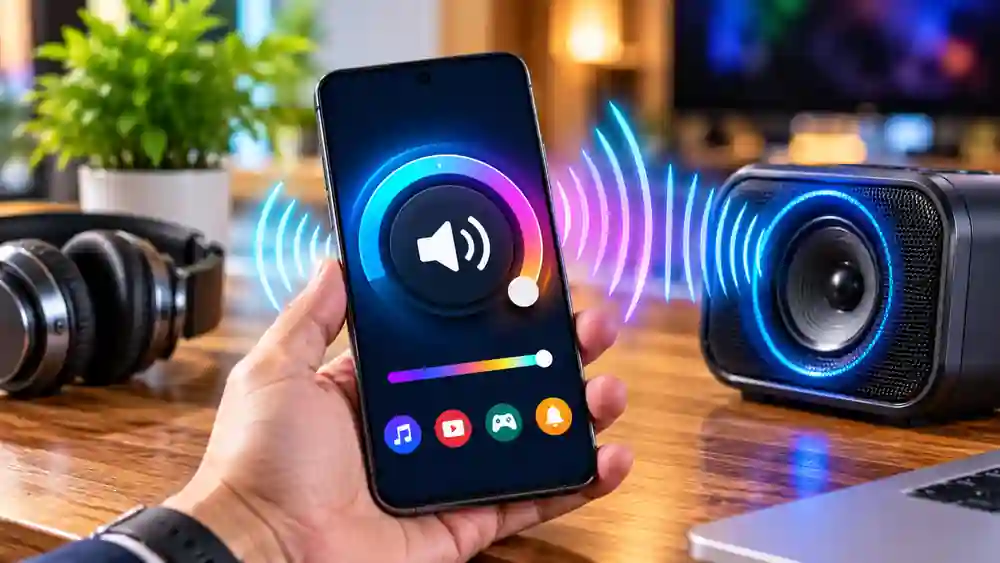
People commonly search for this type of app when videos are difficult to hear, music sounds weak through the phone speaker, or notification sounds are not loud enough. However, the actual result can vary between phones because speaker hardware, Android versions and audio sources are different. Some user reviews also report inconsistent performance, so the app should be treated as an audio enhancement tool rather than a guaranteed hardware upgrade.
High Volume Booster App Features Worth Trying
1. Adjustable Sound Boost
The app advertises volume enhancement of up to 200%. This gives users an additional software-based control beyond the phone’s regular volume slider. Start with a moderate setting and increase it gradually rather than immediately choosing the highest level.
2. Music Playback
A built-in music player lets users play songs from their device while using the available sound enhancement features. The developer also describes improved clarity and bass as part of the app’s audio experience.
3. Better Audio for Videos
If YouTube videos, downloaded movies or reels sound quiet through the phone speaker, a High Volume Booster App can be tested before changing other system settings. The improvement depends on the particular device and media being played.
4. Support for Calls and Alerts
The Play Store description mentions sound enhancement for calls, alarms and notifications. This can be useful for people who frequently miss alerts because their phone’s standard output is difficult to hear.
5. One-Tap Volume Control
Instead of navigating through several audio menus, the app provides a one-tap approach for applying its boost. This makes it convenient when you need a quick adjustment while watching content or playing music.
6. Lightweight Interface
The developer describes the application as lightweight and optimized for speed, battery and RAM usage. It also does not require root access according to the official Google Play description.
Table of Contents
7. Multiple Themes
The application includes different interface themes, allowing users to change its visual appearance. This does not directly increase sound quality, but it provides a small amount of customization while using the player.
How to Use the App for Louder Sound
Using the High Volume Booster App is straightforward:
- Install the app from its official Google Play listing.
- Open it and check the available sound control.
- Play music or a video to test the current output.
- Increase the booster gradually.
- Lower the setting if you hear distortion or uncomfortable loudness.
The developer specifically recommends increasing audio levels gradually and warns that excessive volume can damage hearing or speakers.
Is a High Volume Booster App Safe?
Software cannot guarantee that every phone will handle boosted audio in exactly the same way. The official listing includes a warning about excessive volume, while user reviews contain mixed experiences, including reports of the app occasionally switching off or providing little noticeable improvement. Therefore, use moderate levels and stop if the audio becomes distorted.
Frequently Asked Questions
Does the High Volume Booster App require root?
No. The developer’s Google Play description says root access is not required.
Can it increase music and video volume?
Yes. Music, movies and games are specifically mentioned in the official listing.
Is the app free?
The Google Play listing shows the app as free to install, with ads and in-app purchases.
Does it work on every Android phone?
Not necessarily. Audio hardware and software differ between devices, so the amount of noticeable improvement can vary.
Conclusion
A High Volume Booster App can be worth trying when your phone’s normal speaker output feels insufficient. Increase High Volume Booster provides volume enhancement, music playback, quick controls and support for several types of audio. Because results differ by device, use moderate levels and consider your phone’s speaker and hearing safety before pushing the volume higher.
Internal Link Suggestion:
Ledger Crypto Wallet: 7 Smart Ways to Manage Digital Assets Safely
Official External Link(s):
Increase High Volume Booster – Google Play
Tech Nukti Media Official Website