by
by Summary Box: A Ledger Crypto Wallet combines a mobile or desktop application with Ledger hardware signers to help users manage digital assets through a self-custody setup. This guide explains how the system works, what you can do with it, and which security tools are worth knowing.
How Does a Ledger Crypto Wallet Work?
A Ledger Crypto Wallet is different from a traditional exchange account because the Ledger application works together with a physical Ledger signer. The app provides the interface for viewing portfolios and preparing transactions, while the signer keeps private keys offline and requires physical approval before transactions are completed. The application was previously called Ledger Live.
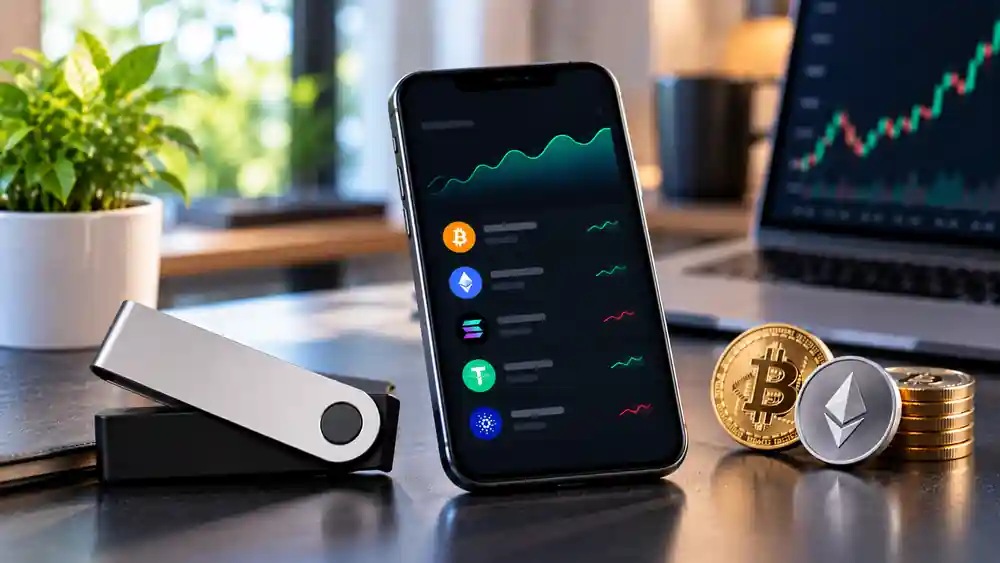
This two-part design separates convenience from key protection. You can use the application to monitor balances, explore supported services and prepare transactions, while the hardware device acts as the final verification point. Ledger says its Wallet supports more than 15,000 crypto assets across more than 50 blockchains, although availability can vary by asset and region.
Ledger Crypto Wallet Features You Should Know
1. Try Watch Mode Before Connecting Hardware
New users can explore the interface through Watch Mode without immediately connecting a signer. It can be used to create a portfolio view, follow market information and explore the application’s trading experience before committing to transactions. This provides a practical way to understand the interface first.
2. See Portfolio Information in One Place
Recent Ledger Wallet updates have focused on making portfolio information easier to understand. The redesigned experience includes aggregated balances, transaction history and real-time profit-and-loss information, helping users review their holdings without moving between several separate applications.
3. Compare Providers Before a Transaction
The current Wallet experience can compare providers for certain crypto services. Ledger says users can compare more than 50 providers across over 100 chains, depending on the service and location. This can make it easier to review available options before buying, selling or swapping assets.
4. Explore DeFi Without Leaving the Ecosystem
The Discover area provides access to integrated Web3 applications. Compatible decentralized apps can be used with Ledger signers, while Clear Signing can display transaction information on the hardware device before approval. This is particularly relevant when interacting with smart contracts.
5. Check Transactions Before Signing
Ledger’s Clear Signing and Transaction Check features are designed to add additional verification. Clear Signing presents supported transaction information in a readable format on the signer’s Secure Screen, while Transaction Check can identify certain suspicious addresses, contracts or transaction risks before approval.
6. Test Earning Opportunities
The Earn section brings staking and selected yield opportunities into the application. Ledger’s 2026 information says its Earn experience can include native, pooled and liquid staking as well as selected DeFi lending opportunities. Rewards are not guaranteed, and availability depends on the service and location.
7. Connect Directly With Supported dApps
Ledger has also introduced direct connectivity with supported decentralized applications, reducing the need for separate wallet extensions in compatible situations. Users can still use third-party wallets such as MetaMask or Rabby with a Ledger signer where supported.
How to Get Started
- Download the application from Ledger’s official source.
- Install it on your Android, iPhone or computer.
- Explore Watch Mode if you want to understand the interface first.
- Connect a compatible Ledger signer when you are ready.
- Add or view supported crypto accounts.
- Review every transaction carefully on the hardware device before confirming it.
Never share your recovery phrase or PIN with anyone. Download Ledger software only from official sources and verify transaction details before signing.
Frequently Asked Questions
Table of Contents
Is Ledger Crypto Wallet the same as Ledger Live?
Ledger Wallet is the newer name for the application previously known as Ledger Live. The product has expanded from portfolio tracking into buying, selling, swapping, staking and Web3 activities.
Can I use Ledger Wallet on Android?
Yes. The official Google Play listing provides the Android application, which was updated in August 2026.
Is Ledger Wallet available for iPhone?
Yes. Ledger provides an official iPhone application through Apple’s App Store.
Does Ledger Wallet store private keys online?
Ledger’s self-custody model keeps private keys on the compatible Ledger signer rather than in the application itself. Transactions are approved through the hardware device.
Conclusion
A Ledger Crypto Wallet is built around more than simply viewing crypto balances. Its combination of portfolio tools, provider comparison, Web3 access, transaction verification and earning features gives users a broader way to interact with digital assets while keeping hardware-based approval at the centre of the self-custody process.
Internal Link Suggestion:
KWA Complaint Online: 7 Easy Ways to Report Water Problems in Kerala
Official External Link(s):
Ledger Wallet Official Page
Ledger Official Download Page
Ledger Wallet on Google Play
Ledger Wallet on Apple App Store