Summary Box: KSRTC WhatsApp Ticket Booking allows passengers to search for buses, check fares, choose seats and complete reservations through WhatsApp. Here is a simple guide to the new booking facility and everything you need to know before using it.
What Is KSRTC WhatsApp Ticket Booking?
KSRTC WhatsApp Ticket Booking is a convenient reservation facility that allows passengers to start their bus booking through WhatsApp. Instead of depending entirely on a reservation counter, travellers can use their mobile phone to search for available services and select a suitable bus. The official WhatsApp booking number is 9447071021. Users can save this number, open WhatsApp and send “Hi” to begin the booking conversation.
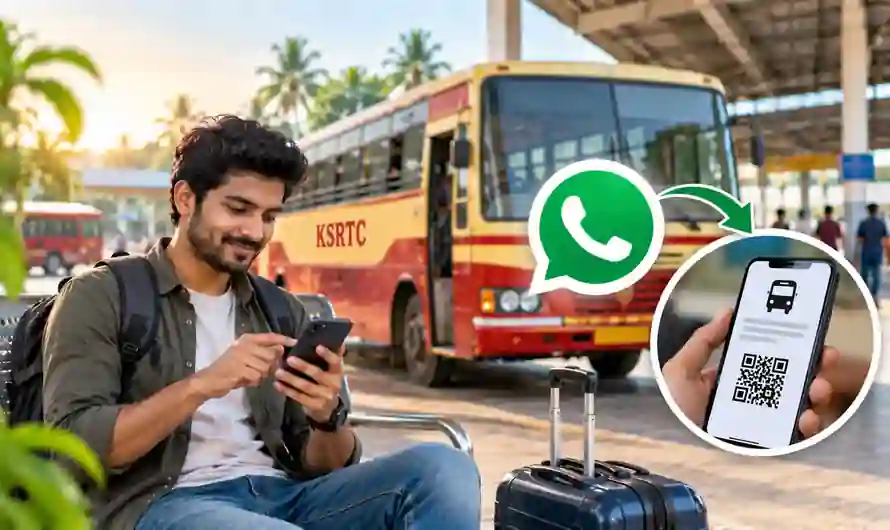
The system works through a guided chat, so passengers do not need to understand a complicated booking process. After entering the destination, users can select a travel date, passenger count and preferred travel time. Available buses are then displayed with useful details such as departure time, fare, category and seat availability. This makes the service especially useful for people who want to complete a reservation quickly from their phone.
How to Use KSRTC WhatsApp Ticket Booking
Passengers can follow these steps to make a reservation:
Save 9447071021 in your mobile contacts.
Open WhatsApp and send Hi to the official number.
Enter the destination requested by the chatbot.
Select the available travel date.
Enter the number of passengers.
Table of Contents
Choose a preferred travel period or view all available services.
Select a suitable bus from the displayed options.
Check the timing, fare, category and bus number.
Select the boarding and dropping points.
Choose an available seat from the seat map.
Enter passenger details such as name, age and gender.
Review the information and complete payment through UPI.
The available options can change according to the route, date and number of seats remaining. Therefore, passengers should check the final information carefully before confirming the payment.
What Can You Check Before Booking?
One of the useful parts of KSRTC WhatsApp Ticket Booking is the information provided before payment. Passengers can see available bus services and compare their timings and fares. The booking flow can also display the service category, bus number and remaining seats.
The seat-selection feature makes the process more convenient for travellers who have a preference for a particular type of seat. Where available, passengers can choose from window or aisle positions using the live seat map. Boarding and dropping points should also be checked carefully because selecting the wrong point could affect the travel plan.
Is WhatsApp the Only KSRTC Booking Option?
No. WhatsApp is an additional reservation option provided for passenger convenience. Travellers can continue using other official KSRTC reservation methods, including the online reservation platform, the Ente KSRTC Neo OPRS application and reservation counters.
For assistance, KSRTC’s official directory lists customer-support numbers including 1800-599-4011 and +91 9447071021. Passengers should use official KSRTC channels when checking booking-related information or seeking support.
Important Tips Before Confirming Your Ticket
Before completing KSRTC WhatsApp Ticket Booking, verify the journey date, destination, boarding location and passenger details. Check the selected bus timing and fare once again before making the payment. If you are travelling with multiple people, make sure the passenger count and details are correct.
It is also a good idea to keep the booking confirmation accessible on your phone after successful payment. If any information shown during the booking process appears unclear, check with KSRTC customer support rather than making assumptions.
Frequently Asked Questions
What is the KSRTC WhatsApp booking number?
The official WhatsApp booking number is 9447071021. Send “Hi” to start the booking process.
Can I select my seat through WhatsApp?
Yes. The booking process provides a seat map showing available seats, allowing passengers to select a suitable seat where the option is available.
Can I pay through UPI?
Yes. UPI payment is supported as part of the WhatsApp reservation process.
Can I book KSRTC tickets without WhatsApp?
Yes. KSRTC also provides other reservation options, including its online booking system, mobile application and reservation counters.
Conclusion
KSRTC WhatsApp Ticket Booking provides a simple alternative for passengers who prefer making bus reservations from their mobile phone. From checking available services to selecting seats and paying through UPI, the process can be completed through a guided WhatsApp conversation. Always verify your travel and passenger details before confirming the booking.
Internal Link Suggestion:
Book Flight Tickets at the Lowest Price in 2026: 7 Amazing Money-Saving Tips
Official External Link(s):
Official KSRTC Website