Summary Box: Video Editor Maker makes mobile video creation easier with trimming, captions, music, effects, background tools and high-quality export options. This guide explains the main features and how to use them for everyday content creation.
What Is a Video Editor Maker?
A Video Editor Maker is a mobile editing tool designed for creating and improving videos directly from a phone. The app covered in this guide supports common editing tasks such as cutting clips, joining multiple videos, adding music and text, adjusting colours, changing aspect ratios and creating photo slideshows. It also offers AI-based tools such as automatic captions, background removal and video enhancement.
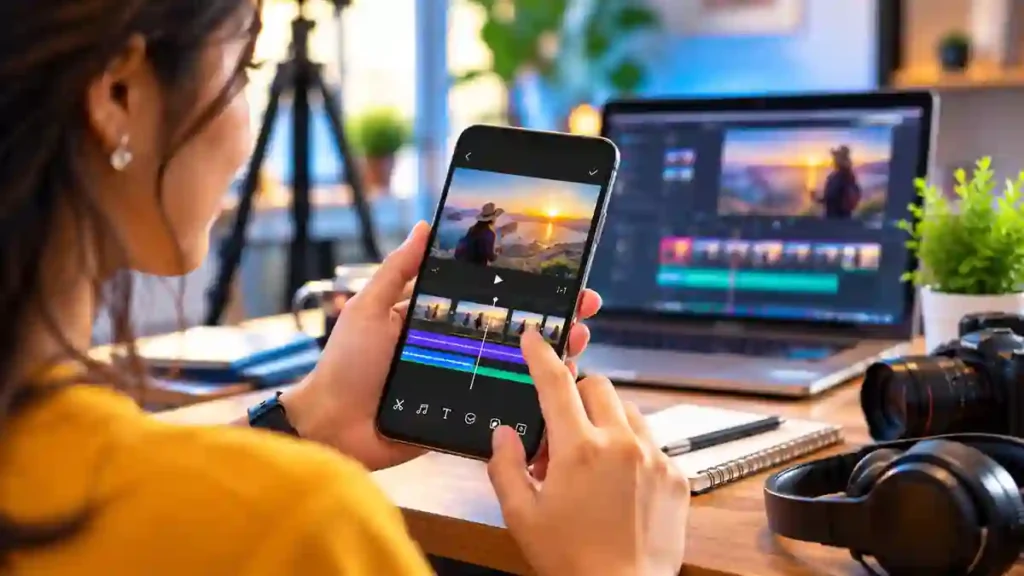
This can be useful for people creating YouTube videos, Instagram Reels, Shorts, status videos or simple family videos without needing advanced desktop editing software. The current Android listing also supports exports up to 4K and includes tools for compression and video conversion.
Video Editor Maker Features You Should Know
1. Cut, Trim and Split Clips
You can remove unwanted portions from the beginning, middle or end of a recording. The splitter can also divide a longer video into separate clips, making it easier to arrange content before exporting.
2. Add Music, Text and Effects
The editor lets you add music, adjust original video volume and place text with different fonts and styles. Filters, transitions and visual effects can also be used to give ordinary footage a more customised appearance.
3. Create Automatic Captions
For talking videos, automatic captions can convert speech into on-screen text. This is useful for short-form content where viewers may watch videos without sound. The current app listings specifically mention AI-powered speech-to-text captions.
4. Change or Blur the Background
Background tools allow you to change the background colour, apply a blurred background or use AI-based background removal. These options can help when the original video does not fit the required social-media frame.
5. Adjust Video Speed and Aspect Ratio
You can create slow-motion or fast-motion clips and choose different video ratios such as 1:1, 16:9 and 3:2. This makes it easier to prepare the same footage for different platforms and screen formats.
6. Compress and Export Videos
Large videos can consume considerable phone storage. The built-in compressor and converter can help reduce file size while allowing you to select an output resolution. The Android listing states that exports can reach up to 4K.
7. Make Photo Slideshow Videos
You can combine multiple photographs into a video, add music and arrange them into a slideshow. This can be useful for birthdays, travel memories, events and simple social-media posts.
How to Edit a Video on Your Phone
- Open the app and select a video or photos from your device.
- Trim or split unwanted portions.
- Add music, text, captions or effects.
- Adjust the background, speed and aspect ratio if required.
- Preview the complete project before exporting.
- Select your preferred resolution and save the finished video.
The Android listing states that the editor does not add a watermark and has no banner ads while editing.
Is This Video Editor Free?
The Android version is listed as free with ads and in-app purchases, while the iPhone version is also free with optional in-app purchases. Some advanced features or editing materials may require a paid plan.
Table of Contents
Frequently Asked Questions
Can I edit videos without professional experience?
Yes. The app is designed for straightforward mobile editing, including trimming, merging, music, text and basic effects.
Can I export videos in 4K?
Yes. The current Android listing states that the editor supports video resolution up to 4K.
Does it add a watermark?
The official Android and iOS listings state that exported videos can be created without a watermark.
Is it available for iPhone?
Yes. An official iPhone version is available through the Apple App Store and requires iOS 15 or later.
APP DOWNLOAD BUTTONS :Download on Google Play
Download on the App Store
Conclusion
A Video Editor Maker can be useful when you want to create polished videos directly from your phone. With trimming, captions, music, background editing, speed controls, slideshows and high-resolution export, it covers many everyday editing requirements in one mobile workflow.
Internal Link Suggestion:
Battery Charging Notification App: 7 Smart Ways to Stay Updated
Official External Links:
Official Android Google Play Listing
Official Apple App Store Listing
Official Website