Summary Box: A Speed Camera Alert App can provide advance warnings about speed cameras, speed limits, road hazards and traffic situations. This guide explains useful alert options, background operation, navigation support and important limitations.
Why Are Drivers Using This Type of App?
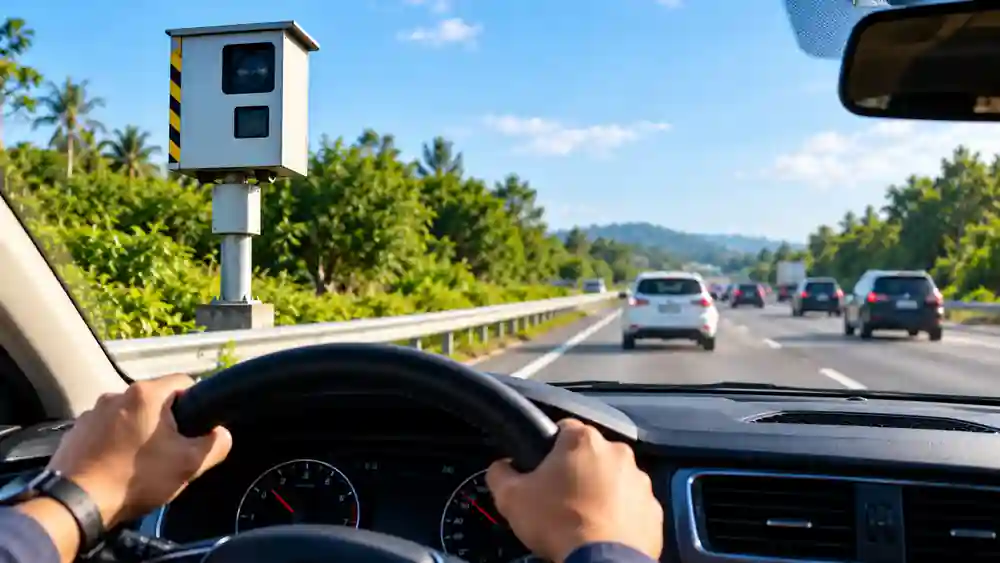
A Speed Camera Alert App is designed to give drivers additional awareness while travelling. Instead of checking the phone repeatedly, users can receive voice, sound or vibration notifications when approaching certain camera locations or other reported road events. The available database includes different camera categories, including fixed, tunnel, average-speed and traffic-light cameras.
The purpose should be to encourage better awareness and compliance with posted speed limits, not to help drivers avoid traffic laws. Camera information can also change, especially for temporary mobile cameras, so users should always follow road signs and local regulations.
Speed Camera Alert App Features Worth Knowing
1. Different Camera Categories
The service can provide warnings for several types of speed-control locations. These include fixed cameras, tunnel cameras, average-speed sections, traffic-light cameras and possible mobile-camera areas. Some alerts also cover school zones and other traffic-control locations.
2. Choose How You Receive Warnings
Users can configure voice notifications, audible sounds, visual alerts and vibration warnings. Warning distances can also be adjusted, allowing drivers to decide how early they want certain notifications.
3. Continue Alerts While Using Another App
One useful feature is background operation. The app can work alongside another GPS navigation or music application, while continuing to provide alerts even when its screen is turned off.
4. Get Information About Road Problems
The alert system is not limited to speed cameras. Depending on available reports, users may receive information about accidents, traffic jams, hazards, roadworks, potholes, police controls and other situations.
5. Keep Track of the Applicable Speed Limit
Speed-limit information can be displayed and audio warnings can be configured when the road limit is exceeded. Different vehicle categories are supported for relevant speed-limit information.
6. Use Offline Maps
The paid navigation options include offline maps and 3D navigation. This can be useful when travelling through areas where mobile internet coverage is limited.
7. Receive Community-Based Updates
Some real-time alerts depend on reports from the user community. This can provide information about temporary situations, but it also means that newly appearing mobile cameras or incidents may not always be shown immediately.
How to Set Up Driving Alerts
Table of Contents
After installing the app, open the settings area and look for Alerts and Warnings. From there, users can select the types of cameras or road events they want to see and configure voice, sound, visual or vibration notifications. Warning distances and speed-limit margins can also be adjusted.
If you already use Google Maps, Waze or another navigation service, the free version can be used as an alert companion running in the background. Integrated navigation is available with the applicable paid plans.For a smoother experience, the Speed Camera Alert App can be configured according to your preferred warning types, notification sounds and driving conditions.
Important Things to Remember
No speed-camera database can guarantee that every temporary camera or road event will appear. The developer notes that mobile cameras can change locations and may sometimes be missing until updated or reported.
Always treat these alerts as additional information rather than a replacement for road signs, speed limits or safe driving practices.
Frequently Asked Questions
Can this app detect every speed camera?
No. Temporary cameras and newly reported locations may not always be available immediately.
Can I use it with Google Maps?
Yes. The free version can run alongside Google Maps, Waze and other supported navigation apps.
Does it provide voice alerts?
Yes. Voice and sound warnings can be configured for supported cameras and road alerts.
Is offline navigation available?
Offline navigation and 3D maps are offered through the applicable paid navigation version.
Download Speed Camera Alert App
Official links from Google Play and the Apple App Store
Use alerts only as a guide and always follow posted speed limits.
Conclusion
A Speed Camera Alert App can add another layer of awareness during road journeys through camera warnings, speed-limit notifications and real-time road reports. Its configurable alerts and background operation make it practical alongside regular navigation tools. However, drivers should continue to follow posted signs and legal speed limits because app information may not always reflect every temporary or newly introduced road situation.A Speed Camera Alert App can be a useful companion for drivers who want additional awareness of cameras, speed limits and reported road conditions.
Internal Link Suggestion:
High Volume Booster App: 7 Amazing & Powerful Sound Features
Official External Links:
Official Google Play listing
Official Apple App Store listing
Official Help Center