by
by Summary Box: All Devices Detector Finder is an Android app designed to help users scan for possible hidden cameras, microphones, tracking devices, and other electronic equipment. This guide explains how its sensor-based scanning works, how to use it effectively, and what limitations you should know.
What Is All Devices Detector Finder?
All Devices Detector Finder is an Android privacy and security tool from DOSA Apps. According to its official listing, the app uses a phone’s built-in magnetic sensor to help identify nearby electronic devices, including possible hidden cameras, microphones, and tracking equipment. It is promoted for use in places such as hotels, changing rooms, homes, and offices. The Google Play listing currently shows 5M+ downloads and a 4.5-star rating, and the app was updated on August 13, 2026.
Instead of requiring a separate detector, the application turns compatible smartphone sensors into a simple scanning tool. This can be useful when you want to make a quick privacy check while travelling or entering an unfamiliar room. However, sensor readings should be treated as indications rather than proof that a surveillance device is present.
All Devices Detector Finder Features to Know
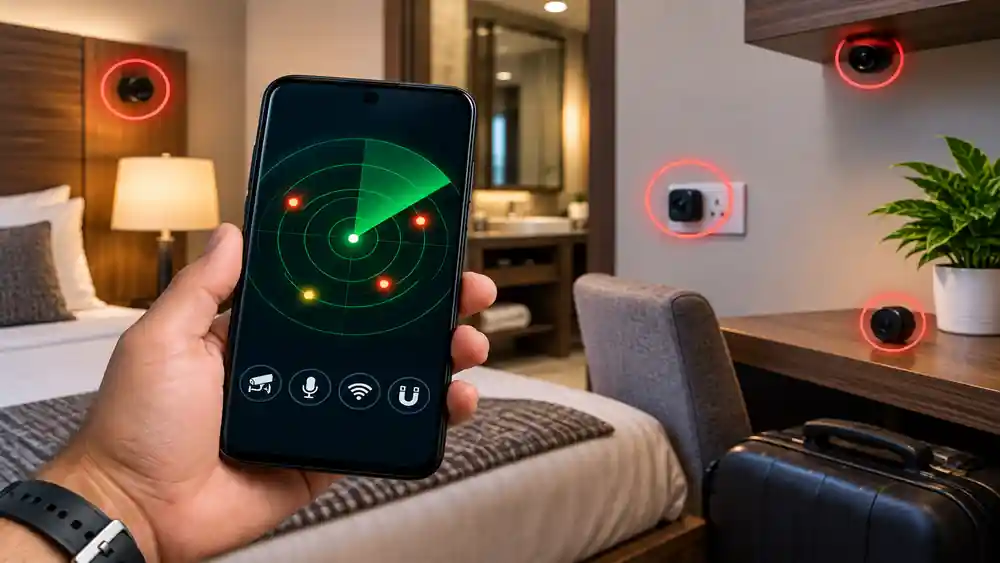
The app offers several functions aimed at locating unusual electronic or magnetic activity. Its official website highlights hidden-camera detection, tracking-device searches, microphone detection, real-time readings, and audible or vibration alerts. It also describes scanning around walls, ceilings, floors, furniture, and other areas where electronic equipment could potentially be concealed.
Some of the main features include:
Table of Contents
- Magnetic-sensor-based device scanning
- Hidden camera and microphone detection
- Tracking-device searches
- Beeping and vibration alerts
- Real-time sensor readings
- Scanning around suspicious areas
- Detection guidance for different locations
How to Use All Devices Detector Finder
Using the app is relatively straightforward, but the quality of your scan depends on how you move the phone and interpret the readings.
- Install the app: Download it from the official Google Play listing.
- Open the detector: Follow the on-screen instructions and allow any required permissions.
- Start scanning: Move your phone slowly around areas you want to inspect.
- Watch the readings: Pay attention to unusual changes rather than assuming every high reading represents a hidden camera.
- Check suspicious spots: Scan near electrical equipment, furniture, outlets, mirrors, ceilings, and other areas carefully.
For better results, keep the phone moving slowly and compare readings in different parts of the room. Ordinary electronics, wires, speakers, and other metal objects can also affect magnetic sensors, so a sensor alert should not automatically be considered evidence of surveillance.
Is All Devices Detector Finder Reliable?
The app can be useful as an additional privacy-checking tool, but it should not be considered a professional security detector. Because it relies on a smartphone’s built-in magnetic sensor, normal electronic or magnetic objects may produce readings. Recent Google Play reviews also contain mixed experiences, including complaints about false detections and advertising, while other users report successful detection.
The Google Play Data Safety section says the developer declares that no data is collected, while also stating that device or other IDs may be shared with third parties. These disclosures are developer-provided and can change over time, so checking the current Play Store information before installation is sensible.
Frequently Asked Questions
Is All Devices Detector Finder free?
The app is available on Google Play with ads and in-app purchases. The exact features available without payment can change, so check the current store listing before subscribing.
Does All Devices Detector Finder detect hidden cameras?
It is designed to help locate possible hidden cameras and other electronic devices using the phone’s magnetic sensor. It should be used as an initial check rather than a guaranteed detection method.
Can I use the app in a hotel room?
Yes. The developer specifically promotes it for hotels, changing rooms, homes, and other private spaces.
Is the app available for iPhone?
I could verify an official Android listing on Google Play, but I could not verify an official Apple App Store listing for this specific app.
Conclusion
All Devices Detector Finder provides a convenient way to perform a basic electronic-device scan using an Android phone’s built-in sensor. Its hidden-device, tracking-device, and alert features can be useful for an initial privacy check, but unusual readings should always be investigated carefully rather than treated as definite proof.
Internal Link Suggestion:
PMMY: 6 Powerful Loan Options for Small Businesses – Complete Guide
Official External Link(s):
Official All Devices Detector Finder Website
Official Google Play Listing